Template
The Templates module helps standardize housekeeping operations by creating reusable task templates. Instead of entering the same information repeatedly, templates allow you to predefine common housekeeping tasks.
For example:
- Room Cleaning
- Deep Cleaning
- Turndown Service
Whenever you create a task using a template, the predefined information is automatically filled, reducing manual effort and ensuring consistency.
Template Types
BluEarn PMS provides two ways to create templates:
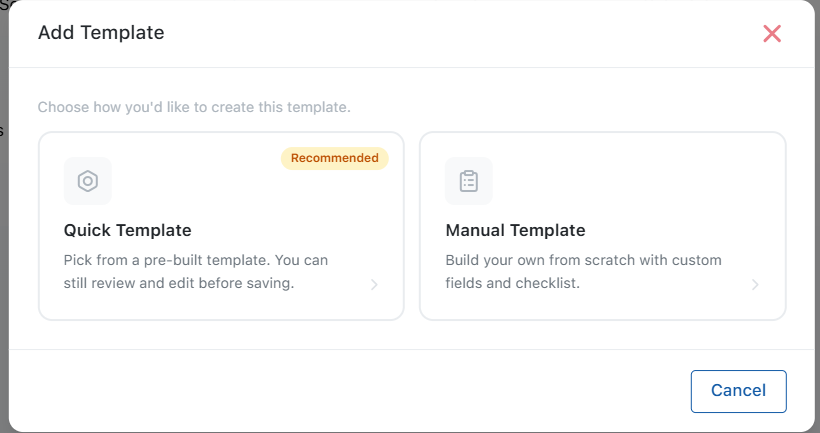
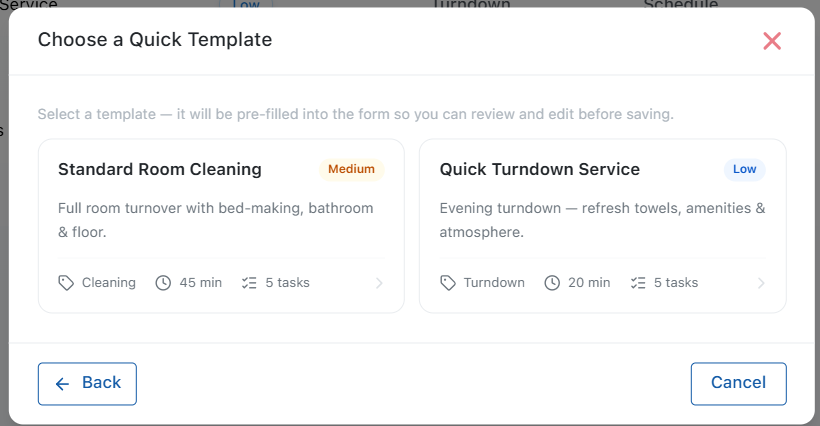
Predefined Templates
These are ready-to-use templates already available in the PMS for common housekeeping operations.
Examples include:
- Room Cleaning
- Turndown Service
Simply select a template and create the task instantly.
Manual Templates
If the predefined templates do not match your housekeeping workflow, you can create your own Custom Template to standardize recurring tasks based on your property's requirements.
To create a template, click Add Template and select Manual Template. Fill in the required details and save the template for future use.
Template Name: Deep Room Cleaning
Task Type: Cleaning (Select from dropdown)
Priority: High (Select from dropdown)
Source: Manual
Estimated Duration: 45 Minutes
Checklist:
- Replace bed linen
- Clean bathroom
- Vacuum floor
- Dust furniture
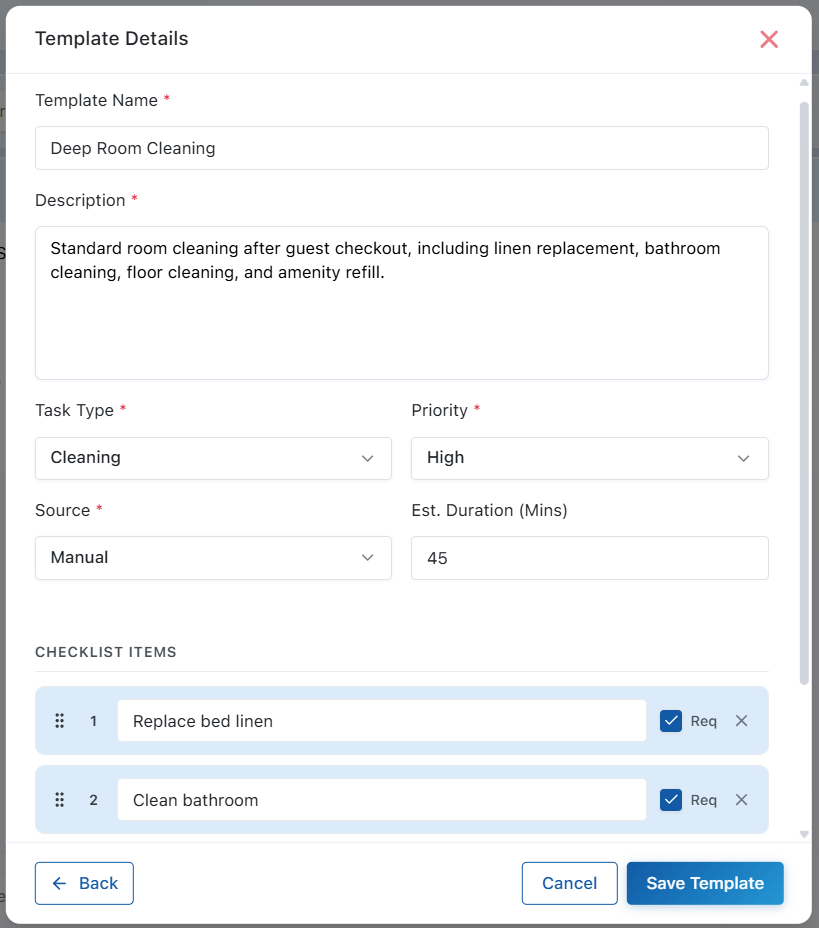
After filling in all the required details, click Save Template to make it available for future housekeeping tasks.
Why Use Templates?
Using templates helps you:
- Reduce manual data entry
- Maintain consistent housekeeping standards
- Create tasks faster
- Standardize recurring operations