Rate Plan
Best Available Rate (Default)
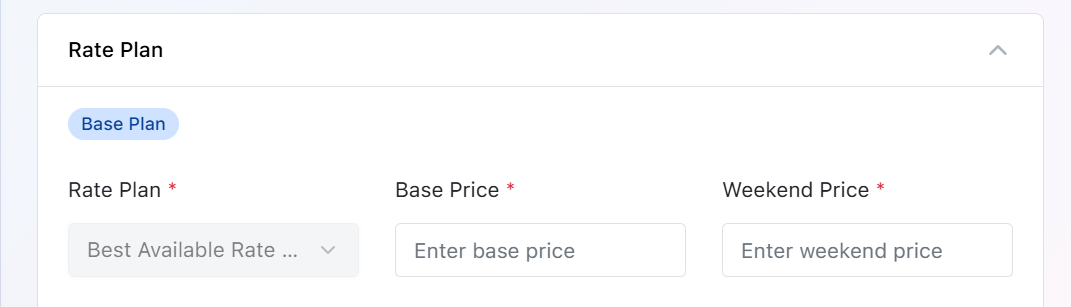
Every room type is created with a default Best Available Rate (BAR). This is the property's standard selling rate and includes two pricing fields:
Base Price : The default room price applied on weekdays and regular dates.
Weekend Price : A separate room price applied during weekends.
Other Default Rate Plans
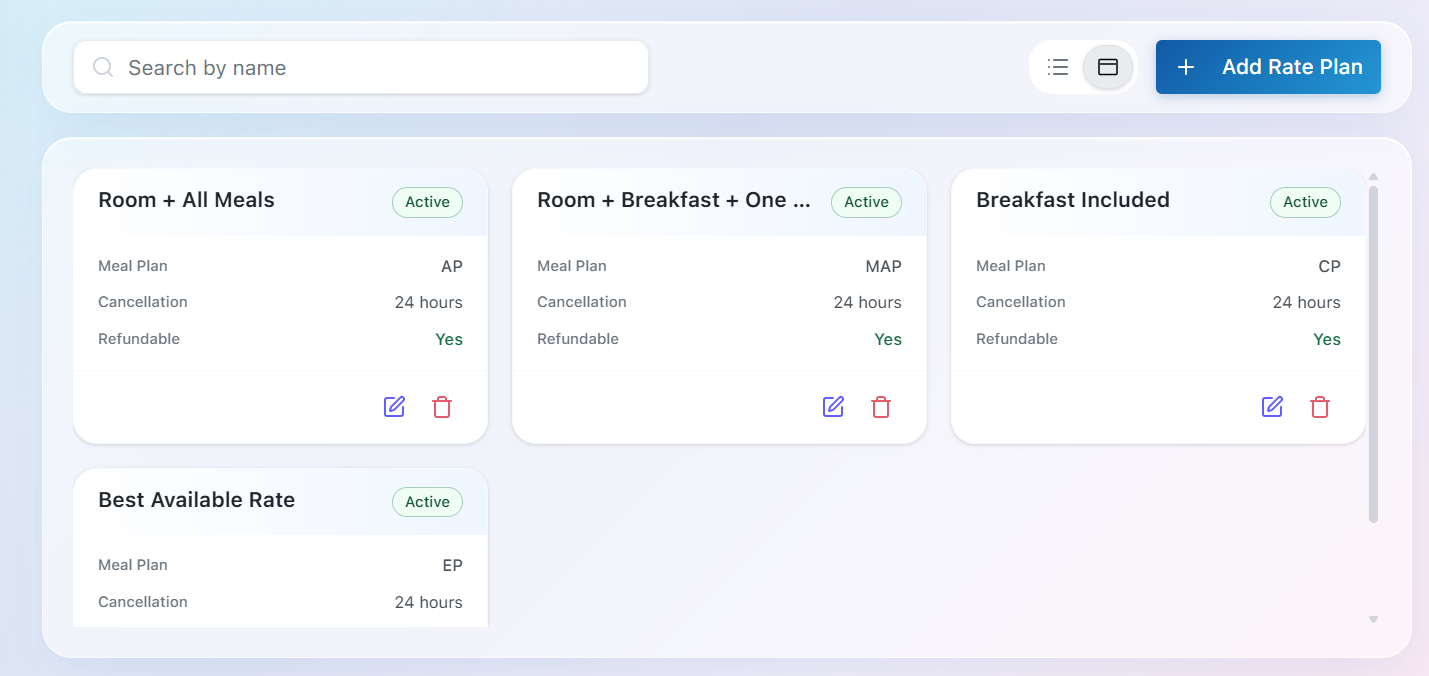
When a new property is created, BluEarn PMS automatically provides a set of default rate plans to help you start managing reservations without requiring additional configuration. These predefined rate plans represent commonly used meal packages offered by hotels and can be used immediately or customized to suit your property's pricing strategy.
| Rate Plan | Meal Plan | Description |
|---|---|---|
| Best Available Rate (BAR) | EP (European Plan) | The default rate plan with no meals included. It serves as the base pricing for all additional rate plans. |
| Breakfast Included | CP (Continental Plan) | Includes accommodation along with breakfast. |
| Room + Breakfast + One Meal | MAP (Modified American Plan) | Includes accommodation, breakfast, and one additional meal (either lunch or dinner). |
| Room + All Meals | AP (American Plan) | Includes accommodation with breakfast, lunch, and dinner. |
Customizing Rate Plans
In addition to the default rate plans, you can create your own custom rate plans by clicking Add Rate Plan.
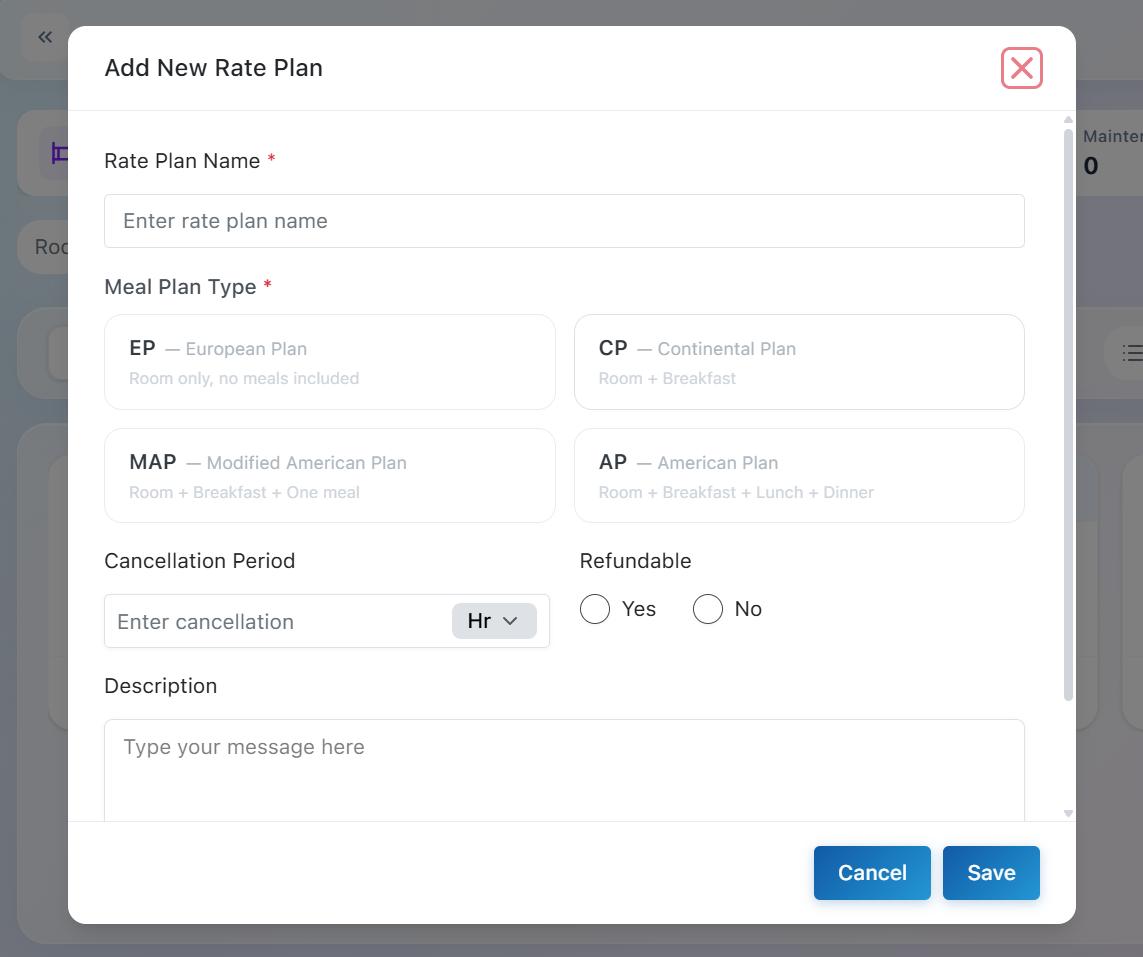
Rate Plan Name: Enter a unique and descriptive name for the rate plan
Meal Plan Type: Select the meal package included with the rate plan. Available options are EP (Room Only), CP (Room + Breakfast), MAP (Room + Breakfast + One Meal), and AP (Room + Breakfast + Lunch + Dinner).
Cancellation Period: Specify the cancellation window before check-in (e.g., 24 Hours). This defines how long before arrival guests can cancel according to the rate plan policy.
Refundable: Choose whether the rate plan is refundable by selecting Yes or No.
Description: Optionally provide additional information about the rate plan, including special conditions or booking policies.
How Pricing Works in Different Rate Plans
-
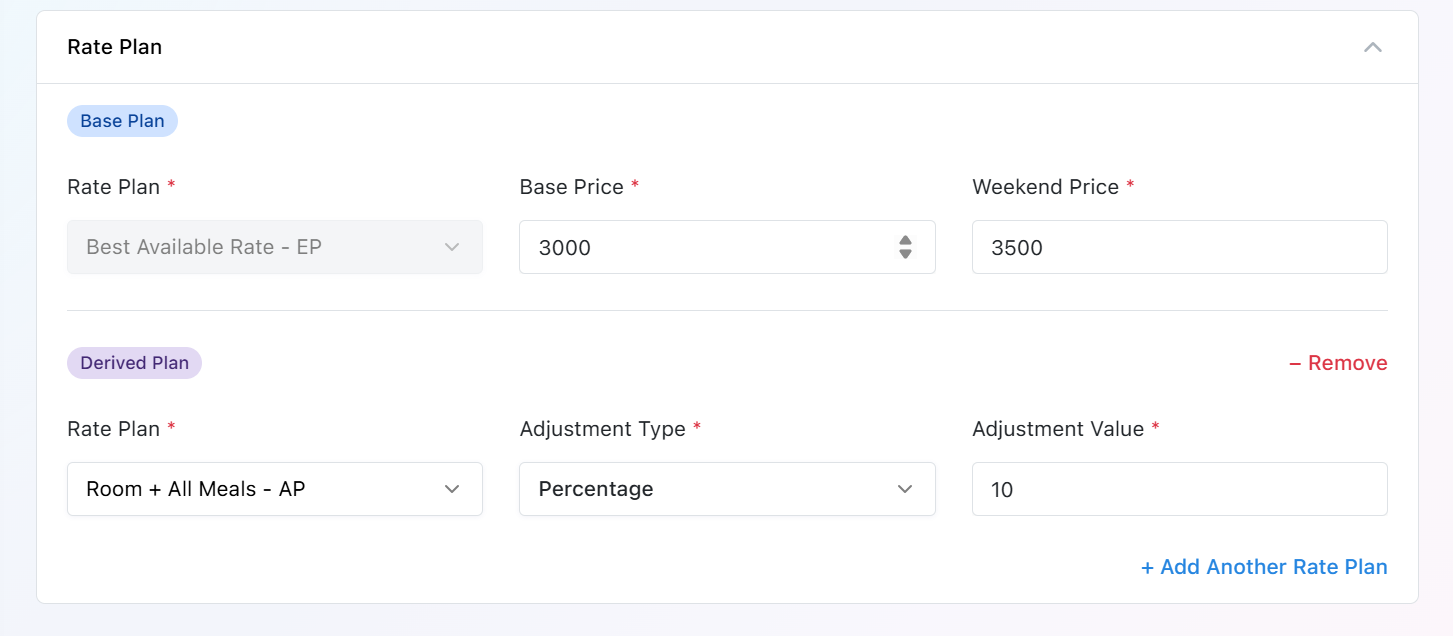
The Best Available Rate (BAR) serves as the base pricing for every room type.
-
Every additional rate plan is calculated from the BAR Base Price and BAR Weekend Price.
Note: Changes made to the Base Price or Weekend Price in the Best Available Rate automatically affect the pricing of all dependent rate plans.
Adjustment Types
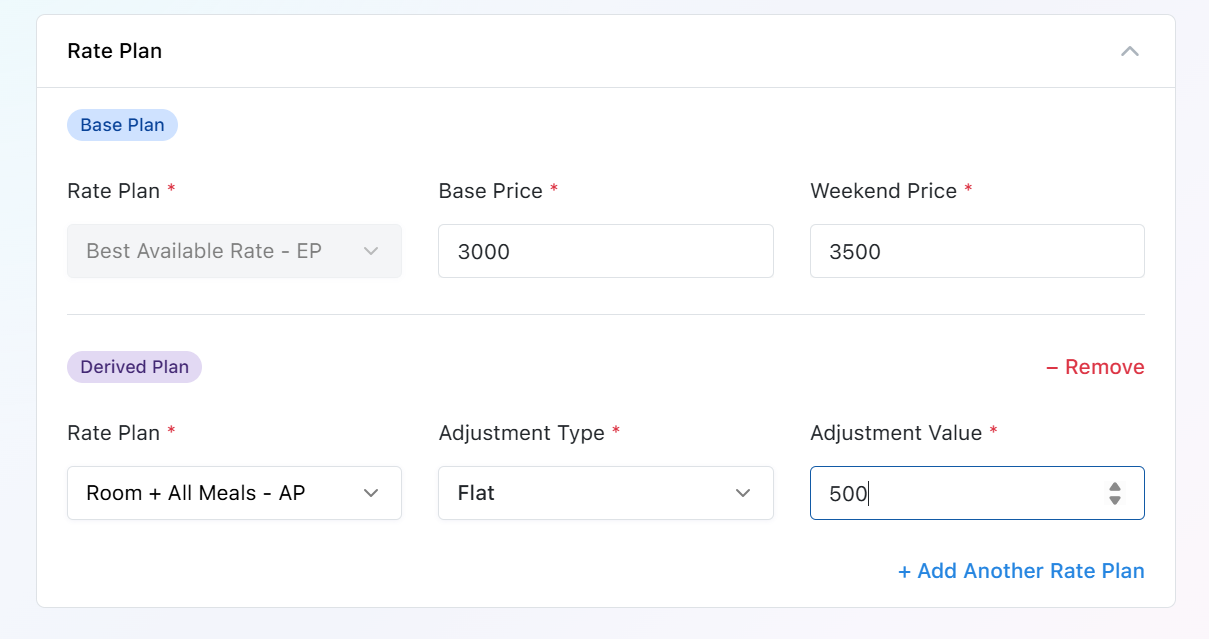
Flat Adjustment: A fixed amount is added to or deducted from the Best Available Rate.
Example
Best Available Rate: Base Price = ₹3,000, Weekend Price = ₹3,500
Adjustment Type: Flat
Adjustment Value: ₹500
| Price Type | Calculation | Final Price |
|---|---|---|
| Base Price | ₹3,000 + ₹500 | ₹3,500 |
| Weekend Price | ₹3,500 + ₹500 | ₹4,000 |
Percentage Adjustment: A percentage is added to or deducted from the Best Available Rate.
Example
Best Available Rate: Base Price = ₹3,000, Weekend Price = ₹3,500
Adjustment Type: Percentage
Adjustment Value: 10%
| Price Type | Calculation | Final Price |
|---|---|---|
| Base Price | ₹3,000 + (10% of ₹3,000) | ₹3,300 |
| Weekend Price | ₹3,500 + (10% of ₹3,500) | ₹3,850 |
Next Step: Navigate to the Rooms module to create your room inventory. Each room will inherit the configuration and pricing from its assigned room type, completing your property setup and preparing it for reservations.