Bank
Bank Details
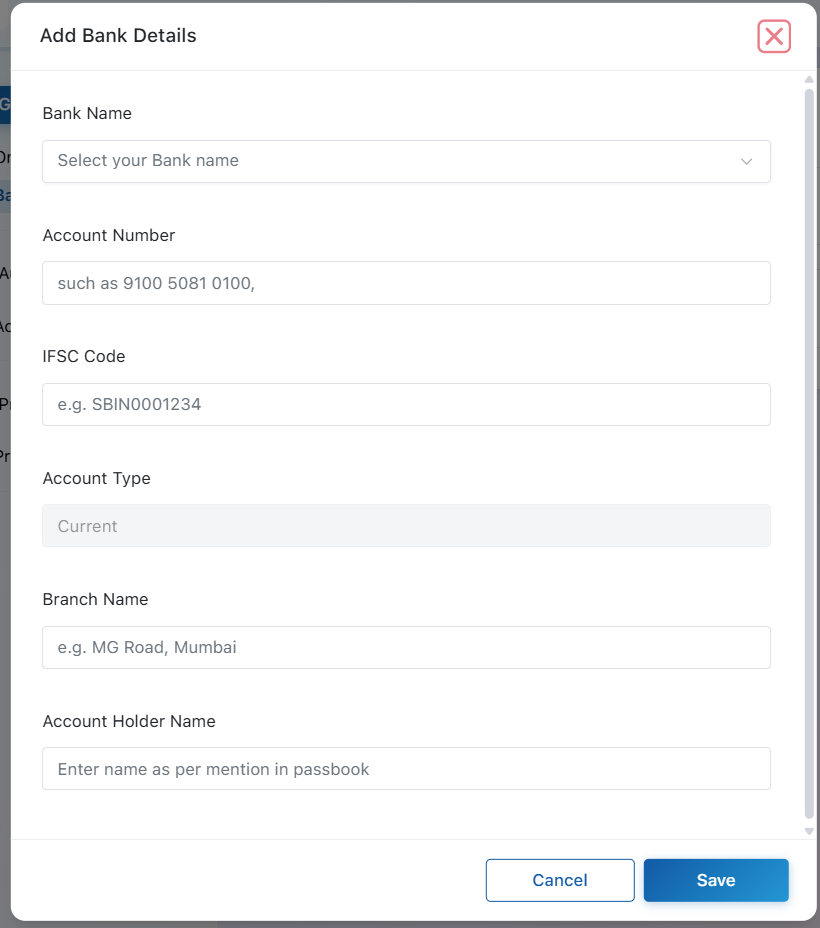
The Bank Details section allows you to securely store your property's banking information.
-
Bank Name – Select your bank from the dropdown.
-
Account Number – Enter the property's bank account number.
-
IFSC Code – Provide the IFSC code of your bank branch.
-
Account Type – The account type (Current is Fixed).
-
Branch Name – Enter the branch where the account is maintained.
-
Account Holder Name – Enter the account holder's name exactly as it appears in the bank records.
Primary Bank Account
If you have added multiple bank accounts, BluEarn PMS allows you to mark one account as your Primary Bank Account. The primary account is treated as the default bank for property-related financial transactions, invoices, and payment processing.
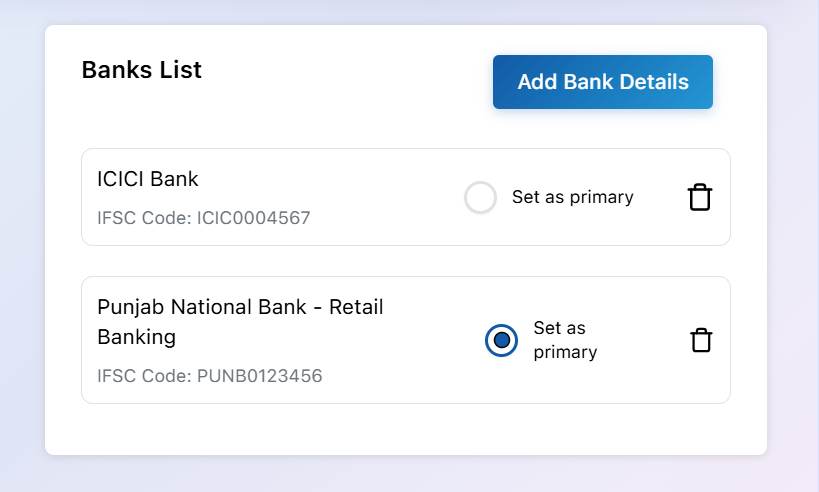
Note: You can add multiple bank accounts, but only one bank account can be set as the Primary account at any given time. You can change the primary account whenever required.